The fastest way to waste money on AI tools is to start with the tool.
A demo looks good. A feature list sounds impressive. The price feels small enough to try. Then the subscription sits there because it does not fit the work you actually do every week.
For real estate agents, the better question is not, "What is the best AI tool?"
The better question is, "Which workflow am I trying to improve?"
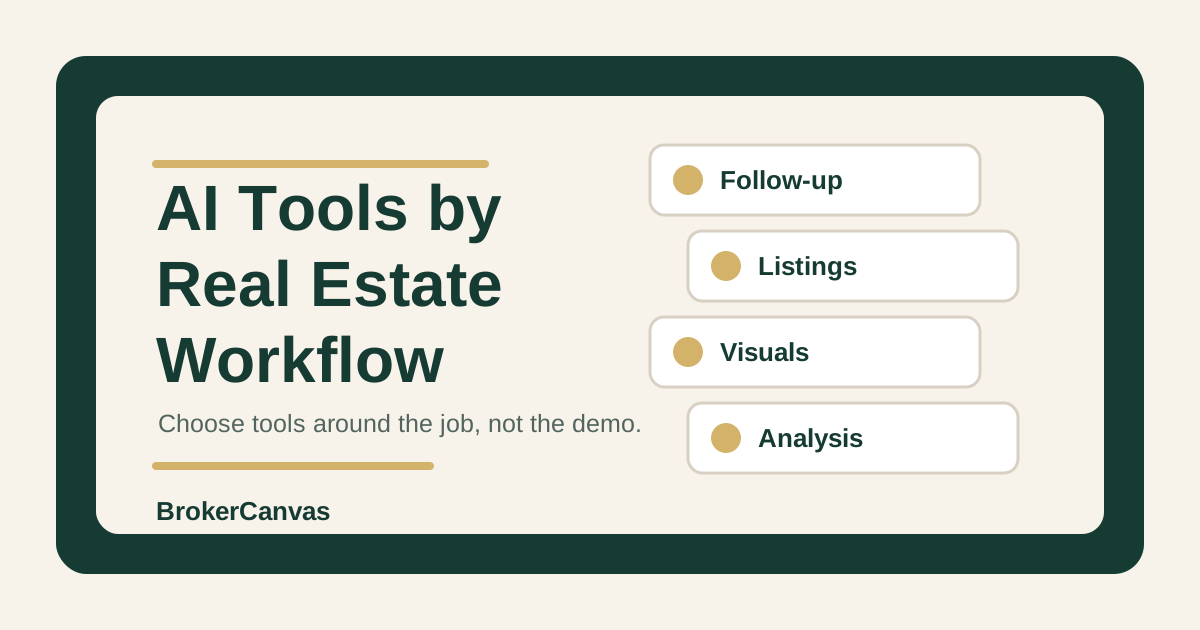
That is how I would evaluate the best AI tools for real estate agents. Start with the job. Then choose the tool. If the tool does not improve follow-up, listing marketing, visuals, analysis, content, or team handoff, it is probably a distraction.
A tool is only useful if it makes a real workflow clearer, faster, or more consistent.
The Right Way to Choose Real Estate AI Tools
Most agents do not need a giant AI stack. They need a few reliable tools connected to specific jobs.
Start with the workflows that repeat:
- responding to new leads
- cleaning up CRM notes
- writing listing copy
- preparing seller updates
- creating listing visuals
- summarizing market information
- planning local content
- handing off work inside a team
Then ask a simple question: where is the friction?
If the problem is slow response, a photo tool will not help. If the problem is weak listing visuals, a writing tool will not solve it. If the problem is team adoption, another individual app may make the mess bigger.
BrokerCanvas keeps the tool conversation practical for that reason. Tools should support the workflow. They should not become the identity of the business.
Workflow 1: Lead Follow-Up and CRM Notes
This is usually the first workflow worth fixing because poor follow-up leaks active opportunities.
AI can help agents summarize inquiry notes, draft first-response messages, create next tasks, write CRM summaries, and turn old conversations into better follow-up. The tool does not have to be complicated. In many cases, a general AI assistant plus a repeatable prompt system is enough.
What matters is the input quality. If your notes are thin, the AI output will be thin. If your CRM has no source, timeline, motivation, property criteria, or next step, the tool has to guess. Guessing is not a workflow.
Best fit
- agents who have leads but inconsistent next steps
- teams that need cleaner handoff notes
- agents who rewrite the same follow-up messages every day
- CRMs with usable notes but weak message drafting
What to avoid
Do not automate client-facing messages without review. Do not let AI invent urgency, budget, financing status, family details, or motivation. Do not turn every old lead into the same "just checking in" campaign.
Start with the real estate CRM follow-up workflow and the stale lead reactivation workflow before buying more software.
Workflow 2: Listing Marketing and Property Copy
Listing marketing is a good AI use case because it has a clear job: turn accurate property notes into useful marketing assets.
AI can help draft listing descriptions, social captions, launch emails, agent remarks, seller update copy, and short variations for different channels. But it should not create property facts. The agent still has to verify square footage, upgrades, room details, HOA information, school references, zoning, disclosures, and MLS rules.
The best tool here is often the one you will actually use during listing prep. If you already collect property notes in a checklist, AI can help turn those notes into copy. If your notes are scattered across texts, photos, and memory, fix the input system first.
Best fit
- listing agents who need cleaner launch assets
- teams that want consistent listing copy standards
- agents who want multiple versions without sounding generic
- brokerages that need review rules for client-facing marketing
What to avoid
Do not publish AI-generated listing copy without fact review. Do not let it add neighborhood claims, school-quality claims, safety language, or property features that were not verified.
The AI listing descriptions workflow and listing marketing checklist are better starting points than a random writing app.
Workflow 3: Listing Visuals and AI Staging
Visual tools are one of the clearest monetization paths in real estate AI because the need is obvious. Vacant rooms, awkward rooms, outdated photos, and investor listings can all benefit from stronger visual presentation.
AI staging tools can help create furnished room concepts, design direction, and listing visuals faster than traditional staging. They can be useful for vacant listings, pre-listing conversations, investor properties, new construction, and social preview content.
But this category needs more caution than most. AI-staged or AI-edited images may require disclosure depending on MLS rules, brokerage policy, advertising standards, and local expectations. Do not use visual tools to hide defects, misrepresent condition, change permanent features, or create a false impression of the property.
Tools to review
- Virtual Staging AI for vacant rooms and fast staging concepts
- AI HomeDesign for listing photo improvement and visual concepts
- Collov AI for design-forward staging and room concepts
BrokerCanvas may earn a commission when readers use some tool links on dedicated review pages. The point of the review pages is to help you decide whether the tool fits the workflow before you click out.
Start with the AI virtual staging disclosure guide before using any visual tool in a live listing workflow.
Workflow 4: Market Analysis and Pricing Prep
Market analysis is not a place to outsource judgment. It is a place to organize thinking.
AI can help summarize comp notes, identify pricing pressure, compare active and sold listings, draft seller-facing explanations, and flag missing information before a pricing conversation. It should not set the final list price, act as an appraisal, replace broker guidance, or invent comp details.
For agents, a general AI assistant can often help if you provide structured data. For investor-friendly workflows or property analysis support, a specialized tool may be useful.
Tool to review
- Homesage.ai for property analysis and investor-friendly workflows
Use care here. AI property analysis is not legal, tax, financial, appraisal, inspection, or lending advice. It can support your analysis, but it should not become the recommendation by itself.
The AI market analysis and listing pricing workflow explains the boundary in more detail.
Workflow 5: Local Content and Social Marketing
AI can help agents plan local content, draft neighborhood FAQs, outline market updates, repurpose listing notes, and turn one idea into several useful formats.
This is a strong workflow when the agent adds real local judgment. It is a weak workflow when the agent asks AI to create generic neighborhood pages with no lived context, current data, or useful angle.
A practical content tool setup might include:
- a general AI assistant for outlines and drafts
- a content calendar or project board
- a design tool for simple graphics
- a review checklist for claims, links, and local facts
The tool is not the moat. The moat is useful local context, consistent publishing, and clean review.
Use the local SEO content workflow and AI content calendar workflow as the baseline.
Workflow 6: Team Operations and Adoption
For teams and brokerages, the best AI tool may not be a tool at all. It may be a shared workflow, a prompt standard, a review rule, and a rollout plan.
Team AI adoption breaks when every agent experiments alone. One person uses AI for follow-up. Another uses it for listing copy. Someone else uses a staging tool. No one knows what is approved, what needs review, or what good output looks like.
Before adding more software, teams should define:
- which workflows AI can support
- which outputs need human review
- what client data should not be pasted into tools
- which tool categories are approved
- who owns follow-up, listing, and marketing standards
- how results will be measured
If the operating system is unclear, a better tool will not fix it. It will just give the team more places to be inconsistent.
The AI readiness scorecard and real estate AI SOPs guide are the right starting points for team leaders.
A Simple Buying Checklist
Before paying for any real estate AI tool, run it through this checklist.
For a full procurement review, use the 30-question real estate AI vendor checklist to compare evidence, data rights, security, integration controls, pricing, contract terms, and failure behavior across vendors.
1. What workflow does it improve?
If the answer is vague, do not buy it yet. Name the workflow in plain language: lead response, listing copy, vacant room staging, pricing prep, content planning, CRM notes, or team handoff.
2. What input does it need?
Good tools still need good inputs. If you cannot provide property notes, lead context, comp data, or local knowledge, the output will be generic.
3. What output does it create?
Be specific. Is it a draft email, staged image, property summary, task list, content calendar, seller update, or analysis note?
4. Who reviews it?
Client-facing copy, listing visuals, pricing explanations, and analysis should have a review step. Fast does not mean publish-ready.
5. What risk does it create?
Check privacy, fair housing, MLS, advertising, brokerage, disclosure, and professional advice boundaries. If the workflow touches visuals, pricing, property condition, financing, or protected-class language, slow down.
6. What will you cancel if it does not work?
Every tool needs a kill rule. If it does not save time, improve quality, or make the workflow more consistent after a real test, cancel it.
Example Prompt: Pick the Right AI Tool by Workflow
Use this before buying a tool or adding one to a team stack.
You are helping me evaluate an AI tool for my real estate business.

Role:
Act as a practical real estate operations advisor. Help me decide whether this tool fits a real workflow or whether I should improve the process first.

Tool I am considering:
- Name:
- Cost:
- Main features:
- Workflow it claims to improve:
- Who would use it:
- How often we would use it:

Current workflow:
- What we do now:
- Where the friction is:
- What inputs we have:
- What outputs we need:
- Who reviews the output:
- Compliance or brokerage rules to consider:

Requested output:
1. Plain-language summary of the workflow this tool would support.
2. Strongest reason to use it.
3. Strongest reason not to use it.
4. Inputs we need before the tool can work well.
5. Review rules we should set.
6. Risks or claims to avoid.
7. A 14-day test plan.
8. A cancel rule if it does not improve the workflow.
9. Whether this should be a tool purchase, a prompt/process fix, or a team training issue.
Where This Fits in the BrokerCanvas System
If you are choosing tools as a solo agent, start with the AI tools hub, the solo agent AI tool stack, and the full BrokerCanvas training. That gives you the map, the tool categories, and the workflow training.
If your biggest need is writing better prompts and client communication, start with the BrokerCanvas Prompt Pack. A prompt system is cheaper than a subscription and may solve the problem before you add another app.
If you lead a team, use the AI Readiness Audit or real estate AI workshop before standardizing tools across the brokerage.
The Best First Step
Pick one workflow where a tool could create a visible improvement in the next two weeks.
For most agents, that is follow-up, listing copy, listing visuals, or content planning. Do not rebuild the whole business. Do not buy five tools at once.
Choose one workflow. Define the input. Test the output. Review it carefully. Decide whether it earns a permanent place in the stack.
Final Takeaway
The best AI tools for real estate agents are not the loudest tools. They are the tools that make a real workflow better.
Start with the job. Then choose the tool.
If a tool helps you follow up faster, market listings more clearly, explain analysis more carefully, create better visuals, or run a team with more consistency, it may be worth paying for. If it only adds another login, it is just noise.