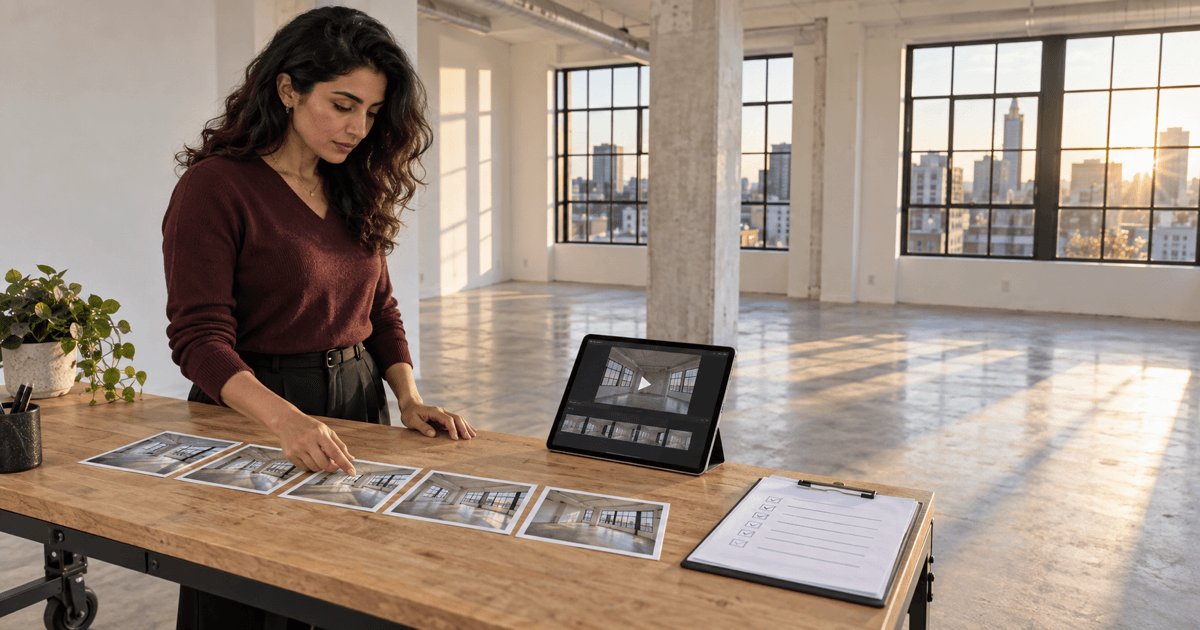
Turning listing photos into a video sounds straightforward until the software starts moving through space that the camera never recorded.
A slow pan across a real photo is one thing. A generated push through a doorway, a shifting window view, moving reflections, changing room proportions, or furniture appearing between frames is something else. The finished clip may look polished while quietly showing a version of the property that never existed.
An AI real estate video generator can help agents sequence listing photos, add restrained motion, draft captions, prepare narration, create social cuts, and reduce editing work. It should not be treated as a substitute for accurate photography, real walkthrough footage, agent review, media rights, or required disclosure.
My standard is simple: motion can improve presentation, but it cannot become new evidence about the property.
What Is an AI Real Estate Video Generator?
An AI real estate video generator is software that turns listing photos, short clips, property facts, a script, or a listing link into a finished or partly finished property video. Depending on the product, it may select images, order scenes, crop frames, add pan-and-zoom motion, generate intermediate video frames, write captions, create narration, choose music, add branding, or export several aspect ratios.
That definition covers very different production methods. Agents should know which one a tool is using because the review burden changes with it.
| Video method | What changes | Best use | Main review risk |
|---|---|---|---|
| Sequenced slideshow | Order, timing, crop, transitions, text, and music | Accurate gallery recap and simple social video | Bad crops, misleading order, unsupported captions |
| Ken Burns-style motion | Digital pan and zoom inside the original pixels | Adding measured movement without inventing a new scene | Crop hides context or exaggerates scale |
| Generative photo-to-video | AI creates new frames between or beyond the source image | Clearly reviewed visualization and transitions | Geometry, fixtures, views, furniture, or condition can change |
| Real walkthrough edit | AI organizes actual captured footage | Showing movement, layout, and room relationships | Editing can still omit context or mismatch narration |
| Synthetic presenter or voice | AI creates or clones a person, likeness, or narration | Limited approved explainers where rights and disclosure are resolved | Identity, authorization, trust, platform, and rights issues |
I would not compare these outputs as though they solve the same job. A slideshow preserves the source scene but communicates little about spatial movement. Generative motion can feel more cinematic but creates new pixels that require frame-by-frame review. Real footage takes more production effort but can show how the space actually connects.
When Photo-to-Video Is a Good Fit
AI-assisted listing video is most useful when:
- the listing already has accurate, high-quality, consistently framed photos;
- the goal is a short gallery video, teaser, reel, email embed, or open-house screen;
- the video can be built without claiming to be a true walkthrough;
- the agent has rights to use the source media in the intended channels;
- the tool allows scene-level editing, replacement, and export review;
- the property facts, captions, narration, branding, and next step can be verified; and
- the agent can preserve originals and document any generated or materially altered content.
The 2025 NAR technology survey shows that agents already use a mix of social media, drone photography and video, AI-generated content, and virtual tours. The practical decision is not whether video or AI exists. It is which media method accurately supports this listing and this channel.
When Real Footage Is the Better Choice
Use actual video, a professional videographer, a measured 3D tour, or another appropriate capture method when the viewer needs to understand:
- how rooms connect;
- the path through the home;
- ceiling height or vertical volume;
- outdoor-to-indoor relationships;
- views from a specific position;
- stairs, grade, lot shape, outbuildings, or access;
- the condition or movement of a feature; or
- anything a generated transition could misrepresent.
An animated photo is not a recorded walkthrough. A generated “camera move” cannot reveal what was outside the original frame. If the marketing promise depends on spatial truth, capture the space.
I would rather publish a restrained 20-second photo sequence than a cinematic clip I have to explain away when the buyer arrives.
What AI Listing Video Should Never Invent
Reject any scene that changes or obscures:
- walls, windows, doors, ceiling lines, columns, stairs, fireplaces, built-ins, or room dimensions;
- flooring, fixtures, permanent finishes, appliances, landscaping, or exterior materials;
- views, neighboring structures, lot boundaries, roads, water, skyline, or natural features;
- visible wear, damage, stains, cracks, repairs, deferred maintenance, or construction status;
- furniture scale, egress, room classification, permitted use, or finished-area status;
- weather, season, daylight, traffic, occupancy, or activity in a way that suggests current condition;
- property features, upgrades, measurements, availability, price, incentives, or offer activity; or
- a person's voice, likeness, testimonial, endorsement, or action without appropriate authorization.
Movement creates more review surface than a still image. A source photo may be accurate at frame one while the generated window, floor, furniture, or doorway drifts by frame 18.
A Practical AI Listing Video Workflow
Step 1: define the video's one job
Choose one: introduce the listing, preview three differentiating spaces, promote an open house, create a vertical social teaser, recap a photo gallery, or explain one verified property story. Do not make one short video carry the listing description, neighborhood guide, agent biography, financing pitch, and showing request.
Step 2: decide what kind of video it is
Label the production method before choosing a tool: real footage edit, still-photo sequence, restrained pan-and-zoom, generative photo-to-video, virtually staged concept, or a mixture. Mixed media needs scene-level labels and records so a reviewer knows what was captured and what was generated.
Step 3: verify media rights and source quality
Confirm that the brokerage, agent, seller, photographer, videographer, floor-plan provider, music provider, narrator, and platform terms permit the intended upload, editing, generation, distribution, and advertising uses. Do not assume that possession of a file includes the right to train, transform, sublicense, or publish it everywhere.
Keep the original files, creator or source, capture date, authorization, usage limits, and approved channels with the listing record. For synthetic people or cloned voices, the U.S. Copyright Office's digital replicas report is a useful reminder that realistic synthetic identity raises issues beyond ordinary video editing. Obtain qualified review rather than relying on a tool's template consent.
Step 4: build a verified asset sheet
For each photo or clip, record:
- room or exterior area;
- source filename and owner;
- capture date;
- current versus historical condition;
- whether it is original, enhanced, staged, or generated;
- approved property facts visible in the scene;
- claims the scene must not imply; and
- where it may be published.
The listing photo shot-list and visual-review workflow helps establish accurate source media before motion is added.
Step 5: create the storyboard before generating
Sequence the story on paper first. A simple 30-second structure might be:
- Exterior orientation: 3 seconds.
- Main living space: 5 seconds.
- Kitchen and connection to living: 6 seconds.
- Primary bedroom or another differentiating room: 5 seconds.
- Outdoor space or verified feature: 5 seconds.
- Property identity, attribution, and next step: 6 seconds.
Choose the strongest accurate scenes, not every photograph. Repetition makes the video longer without making the property clearer.
Step 6: specify motion conservatively
Ask for slow movement inside the source frame, stable vertical lines, preserved architecture, and no scene extension. Avoid prompts such as “fly through,” “reveal the next room,” “drone over,” or “move around the corner” when the source does not contain that information.
If a tool cannot preserve the frame, use a slideshow or actual footage instead. The right fallback is part of the workflow.
Step 7: write captions and narration from verified facts
Use the AI real estate video script workflow for spoken copy. Keep captions readable, specific, and supportable. Do not narrate a feature that is not visible or verified, and do not let a polished voice make uncertain language sound final.
Step 8: generate one scene at a time
Scene-level generation makes defects easier to isolate. Keep the source, prompt, settings, version, output, reviewer, decision, and correction together. If a frame fails, replace that scene rather than accepting a bad transition because the rest of the video looks good.
Step 9: review every frame against the source
Watch once at normal speed for story and pacing. Watch again muted for visual accuracy. Then scrub frame by frame through generated movement and transitions.
Compare:
- geometry and room proportions;
- windows, doors, trim, fixtures, built-ins, and permanent surfaces;
- views, reflections, shadows, landscaping, and neighboring structures;
- furniture appearance, disappearance, scale, and contact with the room;
- defects, condition, repair areas, and construction status;
- captions, numbers, names, logos, contact details, and required attribution; and
- the relationship between narration and the scene currently shown.
My review rule is strict: if I cannot tell whether a visual change came from the property or the generator, the scene does not publish.
Step 10: choose disclosure by scene and channel
MLS, brokerage, advertising, portal, social, and local requirements vary. Confirm the current rules for the actual listing, media type, and channel. Do not use one generic disclosure as proof that every destination permits the content.
If the video includes a virtually staged scene, use the AI virtual staging workflow for real estate agents to preserve the source and review the still, then use the AI virtual staging disclosure guide to organize destination-specific questions before the staged concept enters motion.
Platform rules can also apply. For example, YouTube requires disclosure for meaningfully altered or synthetically generated content that seems realistic, while its examples distinguish that from minor production assistance. Review the current upload settings and policy for every platform used.
Step 11: export for the destination
Create only the formats you have reviewed:
- 16:9 horizontal: website, YouTube, presentation, and some listing uses;
- 9:16 vertical: Reels, Shorts, Stories, and mobile-first campaigns;
- 1:1 square: selected social and email placements;
- branded version: channels that allow the approved agent and brokerage identity; and
- unbranded version: only where required and permitted, with a separate final review.
Do not assume an automated crop is harmless. A vertical crop can remove a doorway, squeeze a room, hide a disclosure, or cut off brokerage identification.
Step 12: archive evidence and monitor the live asset
Store the final files, source media, storyboard, prompts, generated scenes, approvals, disclosure decision, rights evidence, channel versions, publication URLs, and removal owner. Recheck the live post after upload because platforms may crop, mute, compress, relabel, or replace audio.
Example Prompt: Build a Listing Video Storyboard
You are helping a real estate agent build a listing video storyboard from approved source media.

Role:
Act as a careful real estate video-production assistant. Organize the story without inventing property facts, unseen space, new camera footage, or unsupported claims.

Video objective:
- One job the video should do:
- Audience:
- Destination channels:
- Target runtime:
- Required aspect ratios:
- Captured footage, still photos, or generated motion:

Verified property facts:
- Property identification approved for publication:
- Verified features:
- Measurements and source, if used:
- Seller-approved updates:
- Current condition notes:
- Facts that must not appear:

Asset list:
For each asset include filename, room or area, capture date, creator or source, original/enhanced/staged/generated status, visible facts, usage limits, and channel approval.

Brand and review rules:
- Required brokerage identification:
- Branded and unbranded rules:
- Required attribution:
- Disclosure questions to resolve:
- Music, voice, likeness, and media rights status:

Guardrails:
- Use only the assets and verified facts provided.
- Do not infer or generate unseen rooms, views, boundaries, features, condition, dimensions, activity, or surroundings.
- Do not propose camera movement beyond the information inside a source image.
- Do not hide defects or change permanent property elements.
- Do not make price, demand, appreciation, offer, rental, timing, or outcome claims.
- Flag any scene that needs MLS, brokerage, platform, advertising, rights, fair housing, or qualified review.

Return:
1. A scene-by-scene storyboard with timing.
2. The source asset used for every scene.
3. Restrained motion instructions.
4. Caption and narration drafts tied to verified facts.
5. A list of scenes that should use real footage instead.
6. Disclosure and rights questions.
7. Export plan by channel.
8. A frame-review checklist.
Example Prompt: Audit a Generated Listing Video
Act as a real estate listing-video review assistant.

Compare the approved source record with the generated-video observations below. Do not make legal, MLS, or compliance conclusions.

Approved source record:
- Property facts:
- Source assets and filenames:
- Original/enhanced/staged/generated status:
- Current condition:
- Rights and approved channels:
- Required identification, attribution, and disclosure:

Generated video observations:
For each scene and timestamp, describe geometry, permanent elements, views, condition, furniture, people, captions, narration, audio, branding, and transitions.

Evaluate:
1. Which frames remain faithful to the source?
2. Where do geometry, fixtures, finishes, views, condition, furniture, reflections, or surroundings change?
3. Does any movement imply a real camera path that was not captured?
4. Are captions and narration supported by the visible scene and verified facts?
5. Are original, enhanced, staged, generated, and real-footage scenes distinguishable in the production record?
6. Are names, numbers, contact details, attribution, and branding accurate?
7. What rights, disclosure, platform, MLS, brokerage, advertising, fair housing, or privacy questions remain unresolved?
8. Should each scene pass, be replaced with the original photo, use real footage, be revised, or be removed?

Return a timestamped issue list, evidence needed, correction owner, and final publish/hold recommendation. A human reviewer makes the final decision.A 100-Point Listing Video Review Scorecard
| Category | Points | Pass standard |
|---|---|---|
| Property accuracy | 30 | No unsupported change to geometry, permanent features, condition, views, or surroundings |
| Source and rights record | 15 | Every asset, person, voice, track, and channel has a documented source and review status |
| Story and usefulness | 15 | One clear job, deliberate sequence, accurate context, and a useful next step |
| Captions and narration | 15 | Readable, supportable, synchronized, correctly pronounced, and free of invented claims |
| Disclosure and channel fit | 15 | Current destination-specific questions resolved and required context remains visible |
| Technical quality | 10 | No jitter, morphing, duplicate frames, broken crops, clipped audio, unreadable text, or export defects |
A high total does not override a critical failure. A changed doorway, hidden defect, unlicensed asset, unauthorized likeness, unsupported property claim, or unresolved required disclosure should hold the video regardless of score.
Tool Path to Review: RoomLab
The BrokerCanvas RoomLab review for real estate agents examines a photo-based workflow that includes still-image staging, decluttering, emptying, restyling, and short first-frame-to-last-frame video generation. The review explains what BrokerCanvas verified, what remains a vendor claim, and how to test output against the original property photo.
That tool path is most relevant when an agent wants to show a clearly disclosed visual transition between an original room and a staged concept. It does not remove the need to inspect intermediate frames, preserve the original, confirm rights, and review the rules for the actual listing and channel.
For broader tool selection, use the BrokerCanvas AI tools hub. Compare the job, source requirements, degree of generation, editing control, rights, disclosures, export formats, cost, and review burden before subscribing.
For the rest of the launch, the real estate listing marketing checklist connects the approved video with property facts, listing copy, email, social, open-house materials, seller approval, and post-launch review.
Test These 12 Scenes Before Publishing
- A wide living-room photo with windows and strong vertical lines.
- A kitchen with reflective appliances, cabinet hardware, and pendant lights.
- A room with a doorway into an unseen area.
- An exterior with landscaping, neighboring homes, rooflines, and sky.
- A view through glass that must remain unchanged.
- A vacant room with virtually staged furniture in the final frame.
- A photo containing visible wear or a repair area.
- A portrait source that requires a vertical crop.
- A branded end card and a separately exported unbranded version.
- A scene with a measurement, price, date, or address caption.
- A narrated feature name that may be mispronounced.
- A platform upload that compresses, crops, mutes, or labels the result.
Record the expected behavior, actual output, discrepancy, severity, correction, reviewer, and final disposition. The production test is not “did the tool create a video?” It is “did the entire published asset remain accurate and supportable?”
How to Evaluate AI Listing Video Tools
Ask vendors to demonstrate:
- whether the product sequences existing pixels or generates new frames;
- scene-level source, prompt, regeneration, replacement, and version controls;
- how architecture, views, condition, text, faces, and logos are preserved;
- whether original, staged, enhanced, and generated media are labeled in the project;
- landscape, vertical, square, branded, and unbranded exports;
- caption editing, pronunciation, voice authorization, music licensing, and subtitle files;
- data use, model training, retention, deletion, subprocessors, and project export;
- what rights the provider receives in uploaded media, prompts, likeness, voice, and outputs;
- what happens when generation fails, credits are consumed, or a scene is rejected;
- the exact disclosure and provenance features available today;
- team roles, approval, audit logs, account security, and removal controls; and
- total cost per approved video, including failed generations and human review.
Use the real estate AI vendor evaluation checklist to save evidence rather than buying from the demo.
Measure the Whole Production Workflow
I would not measure success by videos generated. A tool can produce more assets while creating more review and correction work.
Track:
- production time from approved source package to approved exports;
- human preparation, generation, review, correction, and publishing time;
- scenes accepted on first review;
- geometry, condition, view, furniture, text, narration, crop, and rights exceptions;
- failed generations and credits consumed;
- destination-specific exports approved and actually published;
- viewer completion, click, reply, showing-request, or seller-reporting metrics appropriate to the video's job;
- corrections, takedowns, complaints, disclosure issues, and seller or broker revisions; and
- total cost per approved, usable video compared with a slideshow, manual edit, or real shoot.
The real estate AI workflow measurement guide helps establish a baseline. My test is whether the video became easier to produce without becoming harder to trust.
Common AI Real Estate Video Mistakes
- Calling generated motion a walkthrough: the video implies spatial evidence the camera never captured.
- Starting with weak photos: AI movement amplifies poor framing, inconsistent exposure, and missing context.
- Generating the full video at once: one bad scene becomes difficult to isolate and replace.
- Reviewing only at normal speed: geometry and condition changes hide inside transitions.
- Letting captions outrun the source: a polished script introduces claims the image does not support.
- Using one export everywhere: crops, branding, audio, disclosure, and platform rules are ignored.
- Assuming a stock track is licensed: music, voice, media, and distribution rights are left unverified.
- Using a synthetic presenter casually: likeness, voice, authorization, trust, and platform questions are treated as styling choices.
- Discarding originals: the team cannot show what changed or restore accurate context.
- Counting output volume: more videos are mistaken for better listing marketing.
A Two-Week Listing Video Pilot
Days 1-3: define and source
Choose one listing, one video job, one production method, and two destination channels. Confirm media rights, collect accurate originals, build the asset sheet, and define automatic rejection conditions.
Days 4-6: storyboard and test
Create the sequence before generating. Test difficult rooms, reflective surfaces, windows, exteriors, vertical crops, captions, narration, staged transitions, and channel exports.
Days 7-10: produce and review
Generate scene by scene. Compare every frame against the source, correct or replace failures, and obtain the required property, seller, broker, MLS, platform, advertising, rights, and disclosure review.
Days 11-14: publish and compare
Publish only approved versions. Check the live crops, audio, labels, captions, and links. Compare the complete workflow with a manual slideshow, editor, or real-footage option, including all review time and failed generations.
The Best First Step
Take one accurately photographed vacant or simply furnished listing and build a 20-second slideshow with restrained pan-and-zoom motion. Use five approved photos, no generated room extension, no synthetic presenter, and no unsupported caption. Review every crop, fact, right, and destination.
Once that process is reliable, test one generative transition as a clearly identified experiment. Do not grant the generator the entire property before you understand how it changes one room.
Final Takeaway
AI can make listing-video production more accessible. It can organize photos, create a storyboard, add measured motion, prepare narration, and export useful formats. The agent still owns what the video represents.
Use real footage when movement through the property is the evidence. Use restrained photo motion when the still image is enough. Treat generated frames as new media that must be reviewed, documented, and disclosed where required. A listing video should help buyers understand the property, not ask them to guess which parts were real.