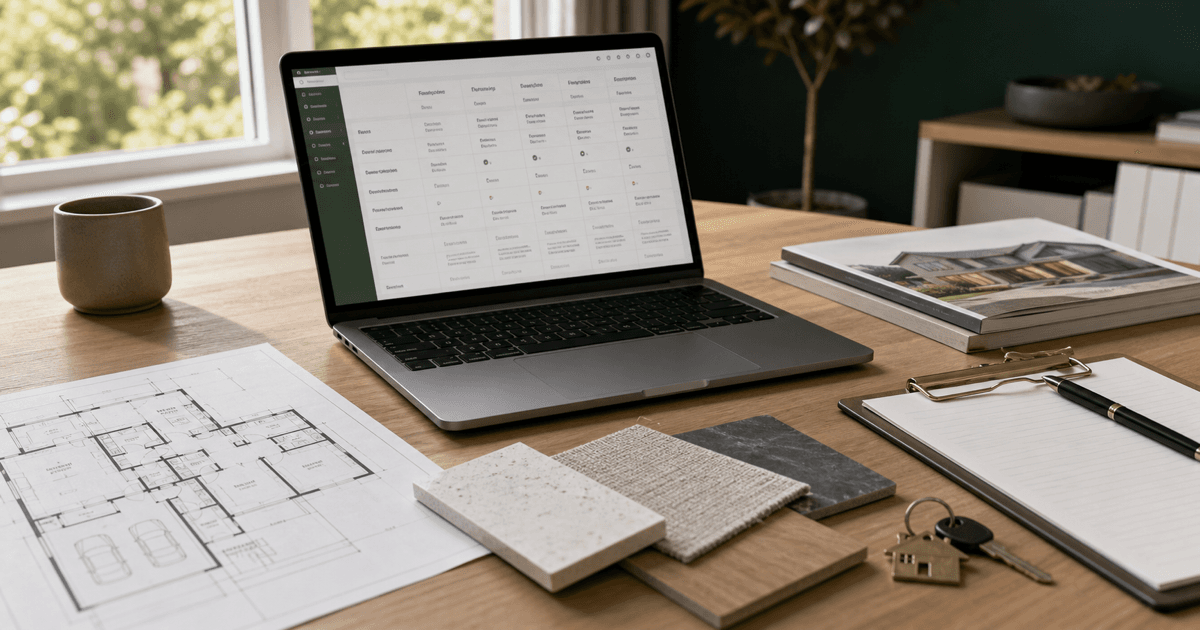
New construction can look simple from the outside.
The buyer sees a model home, a clean brochure, a floor plan, a preferred lender incentive, a design center appointment, and a move-in date that feels more predictable than a resale transaction.
Then the details start stacking up.
Lot premiums, upgrade budgets, builder contracts, lender terms, spec-home timelines, site conditions, change orders, inspection windows, warranty questions, HOA documents, taxes, insurance, closing delays, and post-closing punch-list items all have to be understood before the buyer feels clear.
An AI new construction buyer workflow for real estate agents can help organize those moving parts. It can compare builder options, summarize client priorities, prepare questions, structure site-visit notes, and create a clearer decision worksheet.
It should not tell the buyer which builder to choose, interpret the builder contract, estimate appreciation, approve upgrades, or replace the agent, broker, attorney, lender, inspector, insurance professional, tax professional, or builder representative.
My rule is simple: use AI to keep the builder process clear, not to make the buyer feel certain before the facts are verified.
Why New Construction Needs Its Own AI Workflow
A resale buyer is usually comparing existing homes. A new construction buyer may be comparing a home that exists, a home that is partially built, and a home that only exists as a plan, elevation, lot map, and allowance sheet.
That creates a different kind of decision.
The buyer is not just asking, "Do I like this house?" They may also be asking:
- Which builder process feels most transparent?
- Which lot, plan, and elevation combination fits the way they live?
- Which incentives are actually useful after lender and contract review?
- Which upgrades matter now, and which can wait?
- What is included, what is optional, and what is unknown?
- What happens if the timeline changes?
- What should be inspected, documented, or reviewed before closing?
Those questions do not belong in scattered notes. They need a structured workflow.
I would rather help a buyer compare three builders with honest unknowns than let a glossy model-home visit become the whole decision.
Where AI Can Help New Construction Buyers
AI is useful when the agent already has verified information and needs to organize it.
It can help:
- turn buyer priorities into a new-construction brief
- compare builders, communities, plans, and lots in a consistent format
- separate included features from optional upgrades
- organize incentive questions for lender and contract review
- prepare site-visit and model-home note templates
- track design-center decisions and open questions
- build a timeline with milestones, dependencies, and owners
- draft a buyer-facing recap after each builder visit
- prepare inspection, warranty, and punch-list question lists
- move confirmed dates and tasks into the transaction workflow
The practical role is organization. AI should make the comparison easier to see. It should not pretend to know the builder, the contract, the local market, or the future condition of the finished home.
What AI Should Not Do in a New Construction Workflow
New construction creates risk because buyers are often making decisions from incomplete information.
Do not ask AI to:
- interpret builder contracts, addenda, deposits, cancellation rights, warranties, deadlines, or remedies
- decide whether the buyer should use a preferred lender, title company, inspector, or vendor
- claim that an incentive is better than another financing option without lender review
- predict appreciation, resale value, rental income, build quality, completion date, or neighborhood growth
- make school, safety, crime, demographic, or protected-class recommendations
- estimate taxes, insurance, HOA costs, utility costs, or upgrade ROI without qualified sources
- diagnose site, drainage, structural, environmental, code, or construction-quality issues
- recommend upgrades based on unsupported resale or investment claims
- replace broker, legal, lending, tax, insurance, inspection, engineering, or builder-specific guidance
Use AI for structure and drafting support. Keep contract interpretation, financing decisions, technical construction issues, and professional advice with the right people.
A Practical AI-Assisted New Construction Buyer Workflow
Step 1: Build the buyer brief before touring models
Do this before the buyer gets pulled into finishes, incentives, and model-home staging.
Capture:
- must-have location and commute considerations
- preferred move timing
- budget range and lender status
- monthly payment comfort zone, if the buyer chooses to share it
- household needs the buyer states in their own words
- layout priorities
- lot preferences and deal breakers
- upgrade budget comfort
- tolerance for construction delays
- questions that need lender, broker, attorney, inspector, tax, insurance, or builder review
The buyer brief keeps the conversation anchored after the buyer sees the upgraded model with every finish turned on.
Step 2: Create a builder and community comparison table
Use one structure for every builder.
Track:
- builder and community name
- available plans
- base price and known premiums
- lot options and constraints
- included features
- common upgrades
- estimated timeline
- incentives and conditions
- deposit and process questions
- inspection and walk-through milestones
- warranty and post-closing process
- documents still needed
AI can turn messy tour notes into a clean table, but the table should mark unknowns clearly. A blank cell is better than an invented answer.
Step 3: Separate included features from upgrades
New construction confusion often starts with the model home.
The buyer sees the finished version, but the base home may include something different. Ask AI to organize notes into:
- confirmed included features
- optional upgrades
- decorator or model-only items
- structural options
- design-center choices
- items requiring written confirmation
I would not rely on memory here. If a feature matters, get it documented through the builder's process and keep the source attached to the buyer's worksheet.
Step 4: Build an incentive question list
Builder incentives can be useful. They can also be misunderstood.
AI can organize the questions the buyer should ask the appropriate professionals:
- What are the conditions for receiving the incentive?
- Does it require a preferred lender or title company?
- How does the incentive affect rate, fees, credits, price, or closing costs?
- What happens if the build timeline changes?
- Can the buyer compare it with another lender option?
- Which details need lender, broker, attorney, or tax review?
Do not let AI call an incentive "free money." The useful question is whether the full terms make sense for this buyer after qualified review.
Step 5: Standardize model-home and site-visit notes
A model-home visit is part sales experience, part discovery appointment, and part research task.
For each visit, capture:
- plan and elevation
- lot or homesite discussed
- what the buyer liked
- what did not fit
- included features verified
- upgrades shown
- timeline discussed
- incentives mentioned
- documents requested
- questions for follow-up
The goal is not to write a sales recap. The goal is to preserve the buyer's actual reaction before three communities start blending together.
Step 6: Compare plans around how the buyer will live
A floor plan can look good online and still fail the daily routine.
Ask AI to compare plans against buyer-stated use cases:
- morning routine
- work-from-home needs
- storage and drop zones
- hosting and eating space
- bedroom separation
- pets, hobbies, accessibility, or multigenerational needs the buyer chooses to share
- future flexibility
Do not turn this into steering. Keep the comparison about the property and the buyer's stated functional needs, not assumptions about who belongs in a community.
Step 7: Track construction timeline risks and dependencies
New construction timelines are plans, not guarantees.
Create a timeline with:
- contract or reservation milestone
- design-center deadline
- permitting or start status if known
- framing or construction milestones
- inspection opportunities
- financing refresh or lock considerations
- walk-through timing
- closing and possession assumptions
- current lease, sale, or relocation dependency
If the buyer also has a home to sell, connect this workflow to the relocation client workflow or broader transaction planning. A new build delay can affect the whole move.
Step 8: Prepare inspection and walk-through questions
New construction does not mean no inspection questions.
Depending on local practice, contract terms, and buyer choices, the buyer may need to understand pre-drywall inspections, final inspections, walk-throughs, blue-tape processes, punch-list items, and warranty claims.
AI can organize questions like:
- Which inspections are allowed or recommended by the process?
- When do inspection windows occur?
- How are punch-list items documented?
- What is completed before closing versus after closing?
- How does the warranty process work?
- Who confirms completion?
Use the home inspection report workflow and repair request workflow when the buyer needs to organize findings or follow-up questions.
Step 9: Send a post-visit decision recap
After each builder visit, send a concise recap.
Include:
- what was reviewed
- what the buyer liked
- what remains unclear
- documents still needed
- professional questions to ask
- next decision
- owner and timing for each next step
The client meeting recap workflow is useful here. For new construction, the recap should always separate confirmed facts, builder statements, buyer reactions, and open questions.
Step 10: Move confirmed tasks into transaction coordination
Once the buyer chooses a path, the workflow should not live in a separate document that nobody checks.
Move confirmed dates, document requests, lender questions, inspection milestones, and follow-up tasks into the AI transaction coordination checklist.
The handoff matters because new construction often includes longer timelines and more repeated check-ins than a typical resale file.
Example Prompt: Compare Builders, Lots, and Plans
Use verified notes from buyer conversations, builder materials, and permitted documents. Do not paste private or contract material into an unapproved tool.
You are helping a real estate agent organize new construction buyer options.

Role:
Act as an information-organizing assistant. Do not act as a builder, lender, attorney, inspector, tax professional, insurance professional, appraiser, engineer, or financial advisor.

Buyer brief:
- Budget range:
- Preferred timing:
- Lender status:
- Desired locations:
- Layout priorities:
- Lot preferences:
- Upgrade budget comfort:
- Timeline constraints:
- Questions already raised by the buyer:

Builder/community notes:
[Paste verified notes. Include builder, community, plan, lot, base price, premiums, included features, upgrades, incentives, timeline, documents received, and open questions when known.]

Guardrails:
- Use only the information provided.
- Do not interpret contracts, incentives, warranties, deposits, deadlines, or legal terms.
- Do not recommend a builder, lender, lot, plan, or upgrade.
- Do not estimate appreciation, resale value, rental income, taxes, insurance, repair costs, or upgrade ROI.
- Do not make school, safety, crime, demographic, or protected-class recommendations.
- Mark missing or unverified information as unknown.
- Keep confirmed facts, buyer reactions, builder statements, professional questions, and assumptions separate.

Create:
1. A comparison table for builders, communities, plans, lots, incentives, timelines, included features, upgrades, and open questions.
2. A list of documents still needed.
3. Questions for the builder representative.
4. Questions for lender, broker, attorney, inspector, tax, insurance, or another qualified professional.
5. A buyer decision worksheet with tradeoffs, unknowns, and next steps.
6. A short post-visit recap email.
7. A task list with owner and target date.
Example Prompt: Prepare a Design Center Decision Worksheet
This prompt helps organize upgrade decisions without pretending AI can decide which options are worth it.
Help me organize design center decisions for a new construction buyer.

Buyer priorities:
[paste]

Builder-provided options and pricing:
[paste only verified information]

Budget comfort and constraints:
[paste]

Items requiring written confirmation:
[paste]

Rules:
- Do not recommend upgrades based on resale, appreciation, status, lifestyle assumptions, or ROI claims.
- Do not estimate costs or value.
- Do not interpret contract terms or warranties.
- Separate must-have function, convenience preference, aesthetic preference, future-change question, and professional-review item.
- Mark anything missing or unclear as unknown.

Create:
1. A decision worksheet grouped by room or category.
2. The buyer reason for considering each option.
3. Questions to ask the builder before selecting.
4. Items that may need lender, broker, inspector, insurance, tax, or other professional review.
5. A budget summary using only provided numbers.
6. A short recap the buyer can review before the appointment.A Simple New Construction Buyer Worksheet
I would keep this worksheet plain enough to use during a real appointment.
Builder and community
Name the builder, community, plan, lot, and source of the information.
What is confirmed
Record pricing, included features, incentives, timeline notes, and documents received only when verified.
What the buyer likes
Use the buyer's own words. Do not translate their reaction into marketing language.
What remains unknown
List missing documents, unclear incentive terms, upgrade questions, construction timing questions, and professional-review items.
Who needs to answer
Identify whether the question belongs with the builder, lender, broker, attorney, inspector, tax professional, insurance professional, HOA contact, or another qualified source.
Next decision
Name the specific next choice: eliminate, revisit, request documents, ask lender questions, schedule another visit, compare with resale options, or prepare for the next process step.
Common AI Mistakes With New Construction Buyers
Comparing builder incentives without lender review
A bigger headline incentive may not be the better full deal. Terms, rate, fees, credits, timing, and buyer goals matter.
Treating model-home features as included
If the buyer saw it in the model, that does not mean it is included. Keep model-only, upgrade, and included features separate.
Turning unknown timeline details into firm dates
AI likes clean schedules. Construction does not always cooperate. Mark dates as estimated unless they are confirmed through the proper source.
Using resale logic for new-build decisions
Some resale comparison habits help, but new construction adds builder process, lot selection, design decisions, incentives, and warranty questions.
Letting AI rank builders
A ranked list can look objective when it is only a reflection of incomplete inputs. I would use a comparison table before I used a ranking.
Making lifestyle assumptions about communities
Keep the conversation about property features, objective sources, and buyer-stated needs. Avoid steering language or protected-class assumptions.
Where This Fits With Other BrokerCanvas Workflows
Use this after the buyer has a general search direction but before the builder visits and upgrade decisions become scattered.
Start with the AI buyer consultation prep workflow to clarify the client's search criteria. Use the AI property comparison workflow when the buyer is also comparing resale homes. Use the AI lead qualification workflow if the buyer first arrives through a builder or listing inquiry with limited context.
For teams, this is a good candidate for a shared SOP because new construction details can get lost between agents, assistants, lenders, and transaction coordinators. The real estate AI SOP guide is the right next article for standardizing the process.
New Construction AI Review Checklist
Before sending an AI-assisted recap or worksheet, check:
- Are confirmed facts separated from buyer reactions and builder statements?
- Are included features, upgrades, and model-only items clearly separated?
- Are incentives described without calling them guaranteed savings?
- Are timelines qualified when they are estimates?
- Are professional-review questions routed to the right person?
- Does the language avoid school, safety, crime, demographic, or protected-class recommendations?
- Does the recap avoid contract interpretation and financial advice?
- Are unknowns named instead of filled in?
- Does the buyer have one clear next decision?
- Does the message sound like something you would actually send?
If the worksheet feels clean but hides the uncertainty, it is not ready.
The Best First Step
Start with one builder visit.
Do not try to build a giant new-construction database first. Take the notes from one visit and organize them into confirmed facts, buyer reactions, open questions, professional-review items, and next steps.
If that makes the buyer conversation clearer, use the same structure for the next community.
Final Takeaway
AI can help real estate agents guide new construction buyers by organizing builder options, lot questions, incentives, upgrade decisions, timelines, inspection milestones, and post-visit recaps.
It cannot choose the builder, interpret the contract, verify construction quality, evaluate financing terms, predict appreciation, or decide which tradeoff the buyer should accept.
The useful role is narrower and more practical: keep the buyer's facts, options, questions, unknowns, and next decisions visible so the new-build process does not get driven by brochures, incentives, and memory.