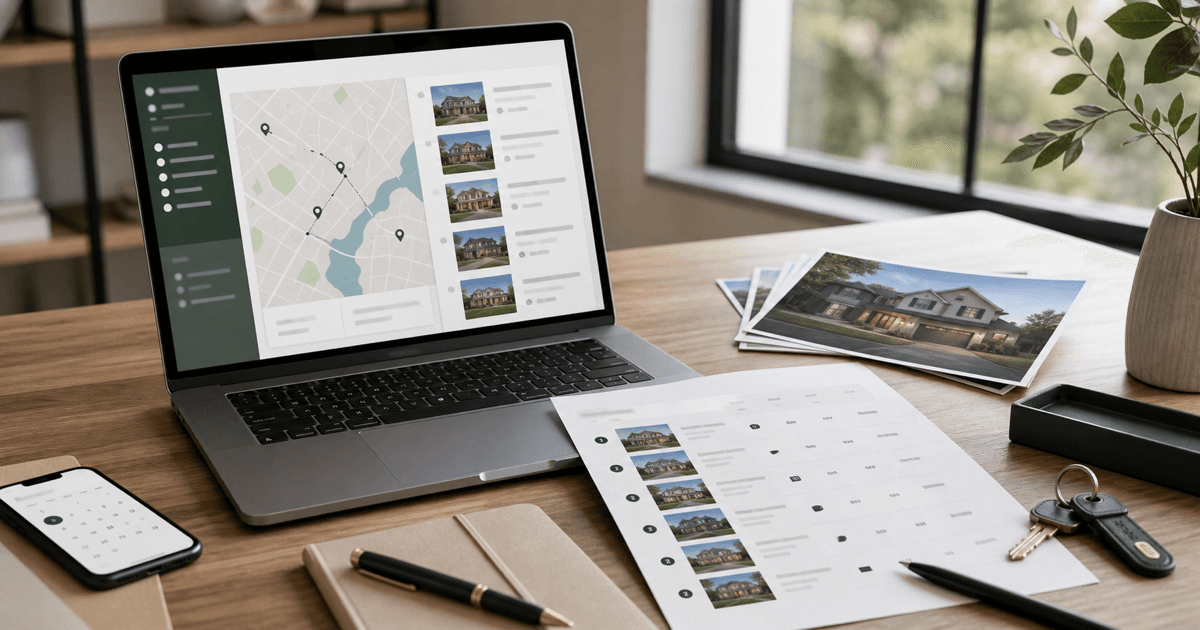
A buyer showing tour can look simple from the outside: pick the homes, schedule the appointments, drive the route, and ask what the buyer thinks.
In practice, the tour gets messy fast. Properties blur together. Buyer priorities shift during the day. Travel time gets underestimated. One home is a hard no, another creates questions, and by the third showing everyone is trying to remember which kitchen had the better layout.
AI can help real estate agents prepare a cleaner buyer showing tour before the appointment and organize the notes afterward. The point is not to let AI choose the home, rank the neighborhood, or replace your local judgment. The point is to make the showing day easier to run and easier for the buyer to understand.
A practical AI buyer showing tour plan for real estate agents should help you organize the tour, clarify what the buyer is evaluating, capture better notes, and turn the appointment into a useful follow-up conversation.
My rule: use AI to reduce the mental clutter around the showing day, not to make the buyer's decision for them.
Why Buyer Showing Tours Need More Than a Schedule
The schedule matters, but the schedule is only one part of the job.
A good buyer tour also needs:
- a clear reason each property made the list
- a logical showing order
- travel time that respects the buyer's day
- questions to answer at each property
- a simple way to capture buyer reactions
- a follow-up structure after the tour
- a way to separate emotion from actual fit
That is where AI can help. It can organize the context around the showing day so the agent is not trying to hold every detail in memory while also managing access instructions, timing, buyer questions, and real-time reactions.
If you are earlier in the buyer process, start with the AI buyer consultation prep workflow. The showing tour should be based on what you learned there, not built from scratch every time a new listing pops up.
What AI Can Help With Before a Buyer Tour
AI is useful before a showing appointment when you give it real buyer priorities and verified property details.
It can help you:
- summarize buyer priorities from consultation notes
- organize candidate homes by fit, location, timing, or tradeoff
- create a clean showing itinerary
- prepare property-specific questions
- flag differences between homes the buyer may confuse later
- draft buyer-facing prep notes before the tour
- prepare a feedback form or note template
- identify missing information before the appointment
- turn the tour into a better follow-up email afterward
The best use is not "which home should they buy?" The better use is "what should we pay attention to at each stop?"
What AI Should Not Do During Buyer Showings
Buyer tours involve property facts, client preferences, fair housing considerations, agency duties, local market context, and sometimes emotional decision-making. AI needs guardrails.
Do not use AI to:
- invent property facts, disclosures, seller motivations, neighborhood details, or commute claims
- rank neighborhoods by safety, schools, demographics, or protected-class assumptions
- tell the buyer which home to choose
- replace your MLS, showing platform, broker, contract, disclosure, or local market review
- make legal, inspection, appraisal, lending, tax, or financial advice
- turn buyer preferences into steering language
- ignore access instructions, showing restrictions, or seller requirements
- publish buyer-sensitive information into tools without permission or review
I would keep AI one step away from the final recommendation. Let it organize the information. You own the client guidance.
A Practical AI Buyer Showing Tour Workflow
Step 1: Start with verified buyer priorities
Before choosing the tour order, summarize the buyer's actual priorities.
Use notes from the consultation, lead qualification, lender status, timeline, commute needs, must-haves, deal-breakers, budget range, preferred property type, and any accessibility or lifestyle preferences the buyer has directly shared.
If the buyer is still early, connect this to the AI lead qualification workflow and the buyer consultation prep workflow. A showing tour built on vague priorities usually creates vague feedback.
Step 2: Build a candidate property table
Put the homes into a structured format before asking AI to help.
Include:
- property address or internal label
- price
- beds, baths, square footage, lot, parking, and property type
- showing time window
- location notes the buyer already approved discussing
- key verified features
- known drawbacks or tradeoffs
- days on market and price changes if relevant
- HOA, taxes, rental restrictions, or other known constraints
- questions to confirm at the showing
Structured input matters because AI is much better at organizing real information than guessing from a messy paragraph.
Step 3: Ask AI to organize the tour purpose
Each home should have a reason for being on the list.
Ask AI to classify each property into plain categories such as:
- best budget fit
- best location fit
- best layout fit
- best condition fit
- best compromise option
- wild-card option
- comparison property
This helps the buyer understand why they are seeing the home. It also helps you avoid tours where every property feels random.
Step 4: Plan the showing order
AI can suggest a tour order based on location, appointment windows, buyer energy, and comparison value.
There are two common ways to order the tour:
- Route efficiency: reduce backtracking and make the day smoother.
- Decision clarity: group similar homes or save the strongest comparison for the right moment.
In real life, access windows and seller instructions often decide the order. AI can suggest a plan, but your showing platform and local logistics still control what is possible.
Step 5: Prepare buyer-facing tour notes
Before the tour, send the buyer a short note that sets expectations.
Keep it simple:
- the tour order
- what each home is meant to help evaluate
- what to pay attention to
- what you will discuss after the tour
- any practical reminders about timing, parking, access, or shoes if relevant
The goal is not to make the buyer do homework. The goal is to keep the tour from becoming a blur.
Step 6: Create a simple showing note template
I like showing notes that are short enough to use in the driveway.
For each property, capture:
- first reaction
- top positives
- top concerns
- questions to research
- how it compares to the buyer's must-haves
- one-sentence fit summary
- interest level: no, maybe, strong maybe, or serious
If the note system is too detailed, nobody will use it during an actual tour.
Step 7: Use AI after the tour, not during the showing conversation
During the showing, stay present with the buyer. Listen. Watch what they react to. Ask better questions.
After the tour, AI can help you organize the raw notes into a cleaner recap. This is where the workflow connects naturally to the AI property comparison after showings workflow.
Do not paste sensitive buyer details into a tool without thinking. Keep notes professional, factual, and limited to what is needed.
Step 8: Turn showing notes into follow-up
After the tour, use AI to draft a follow-up message that includes:
- a quick thank-you
- the homes toured
- what stood out
- questions you are researching
- next-step options
- any deadlines or market context that needs attention
Keep the buyer in control. The follow-up should clarify choices, not pressure them.
Step 9: Save the pattern for the next buyer
Once a tour workflow works, turn it into a reusable system.
Your repeatable workflow can include:
- buyer priority summary prompt
- candidate property table
- showing tour itinerary prompt
- buyer-facing prep message
- showing note template
- post-tour recap prompt
If you lead a team, this can become part of your buyer service standard. The same format helps agents compare notes and deliver a more consistent client experience.
Example Prompt: Build a Buyer Showing Tour Plan
Use this before scheduling or confirming the tour. Replace the placeholders with verified information only.
You are helping a real estate agent plan a buyer showing tour.

Role:
Act as a practical buyer tour planning assistant. Do not make the buyer's decision. Do not invent property facts, neighborhood claims, school claims, safety claims, commute claims, disclosures, seller motivation, or market data.

Buyer context:
- Buyer timeline:
- Budget range:
- Financing or cash status:
- Preferred property type:
- Must-haves:
- Nice-to-haves:
- Deal-breakers:
- Location preferences the buyer has directly stated:
- Commute or daily-life considerations the buyer has directly stated:
- Accessibility or practical needs the buyer has directly stated:
- Concerns from the buyer consultation:

Candidate properties:
For each property, include:
- Property label/address:
- Price:
- Beds/baths/square footage/lot/parking/property type:
- Showing window:
- Verified key features:
- Known drawbacks or tradeoffs:
- Questions to verify:
- Days on market or price change context, if relevant:
- HOA, tax, rental, or other constraints, if known:

Rules:
- Use only the information provided.
- Mark missing information as unknown.
- Do not rank neighborhoods by safety, schools, demographics, or protected-class assumptions.
- Do not make legal, appraisal, inspection, lending, tax, or financial advice.
- Do not tell the buyer which home to buy.
- Flag items that need MLS, broker, lender, inspector, attorney, or local expert review.

Create:
1. A recommended showing order with a practical reason for the order.
2. The purpose of seeing each property.
3. A short buyer-facing tour summary.
4. Three questions to ask or answer at each property.
5. A simple showing note template.
6. Missing information to verify before the tour.
7. A post-tour follow-up outline.
Example Prompt: Turn Showing Notes Into a Buyer Recap
Use this after the tour when you have your notes. This should support your judgment, not replace it.
You are helping a real estate agent organize buyer showing notes after a home tour.

Role:
Act as a client communication assistant. Organize notes clearly. Do not invent facts. Do not pressure the buyer. Do not make the buying decision.

Buyer priorities:
[paste verified buyer priorities]

Homes toured:
[paste property labels and verified facts]

Raw showing notes:
[paste concise notes for each property]

Known questions still open:
[paste items to research]

Rules:
- Use only the provided notes.
- Separate buyer reactions from verified property facts.
- Mark unknowns clearly.
- Do not make legal, appraisal, inspection, lending, tax, or financial advice.
- Do not make neighborhood safety, school quality, demographic, or protected-class assumptions.
- Keep the tone calm, useful, and buyer-friendly.

Create:
1. A concise recap of each property.
2. A side-by-side comparison based only on the buyer's stated priorities.
3. A list of follow-up questions to research.
4. A short email draft to the buyer.
5. A CRM note version for the agent.
6. Suggested next steps that leave the decision with the buyer.A Simple Showing Tour Checklist
Here is the short version I would actually use before a showing block.
Before the tour
- Buyer priorities summarized
- Candidate homes organized in one table
- Showing order checked against access windows
- Travel time checked outside AI
- Buyer-facing tour note sent
- Questions prepared for each property
- Missing facts marked for follow-up
During the tour
- Capture first reaction
- Note positives, concerns, and questions
- Do not over-explain every tradeoff too early
- Let the buyer react before steering the conversation
- Keep factual notes for follow-up
After the tour
- Organize notes while the appointment is fresh
- Separate facts from reactions
- Research open questions
- Send a clear recap
- Update the CRM
- Decide whether the next step is another tour, deeper due diligence, or an offer discussion
Common Mistakes Agents Make With AI and Buyer Tours
Using AI before the buyer priorities are clear
If the buyer's priorities are vague, the output will be vague. Start with the consultation notes.
Letting AI create unsupported neighborhood commentary
Neighborhood questions need care. Stick to verified sources, buyer-stated preferences, and appropriate local guidance. Avoid safety, school, demographic, or protected-class assumptions.
Building an itinerary that ignores real showing logistics
AI can suggest an order, but it does not know every lockbox issue, seller restriction, traffic pattern, or last-minute showing change.
Overloading the buyer with notes
The buyer needs useful context, not a research packet for every property. Keep the tour note practical.
Skipping the post-tour recap
This is where a lot of value gets lost. A good recap helps the buyer remember what mattered and gives you a clean next step.
Where This Fits With Other BrokerCanvas Workflows
This workflow sits between buyer consultation and post-showing comparison.
Use the AI buyer consultation prep workflow before the tour. Use the AI property comparison workflow after the tour. If the buyer is relocating, pair this with the AI relocation client workflow. If the buyer gets serious about one property, continue into the AI buyer offer strategy workflow.
For a broader foundation, start with AI for real estate agents. If you want a structured system for applying AI across buyer communication, listings, follow-up, and team workflows, the full BrokerCanvas training is the core path.
Buyer Showing AI Review Checklist
Before sending AI-assisted showing notes, tour plans, or recaps to a buyer, check:
- Did AI invent any property fact, disclosure, seller motivation, commute claim, or neighborhood detail?
- Did the tour order respect actual showing windows and access instructions?
- Are buyer priorities stated accurately?
- Are buyer reactions separated from verified facts?
- Are open questions clearly marked as open questions?
- Does the language avoid school, safety, crime, demographic, and protected-class assumptions?
- Does the recap leave the final decision with the buyer?
- Would you be comfortable putting the note in the CRM?
- Does anything need broker, lender, inspector, attorney, MLS, or local expert review?
If the recap sounds confident about something you have not verified, revise it.
The Best First Step
Use this on one upcoming buyer tour.
Start with the buyer's priorities and three to five candidate homes. Ask AI to organize the tour purpose, showing order, questions, and note template. After the tour, use AI to clean up the notes and draft a recap. Then review every word before sending.
That is enough to prove the workflow. You do not need a complicated system on day one.
Final Takeaway
AI can make buyer showing tours more organized, easier to explain, and easier to follow up on.
It should not choose the home, invent property context, replace local expertise, or create risky neighborhood commentary.
The useful role is simple: help the agent prepare a clearer tour, capture better notes, and give the buyer a calmer path from "we saw a lot of homes" to "here is what we learned."