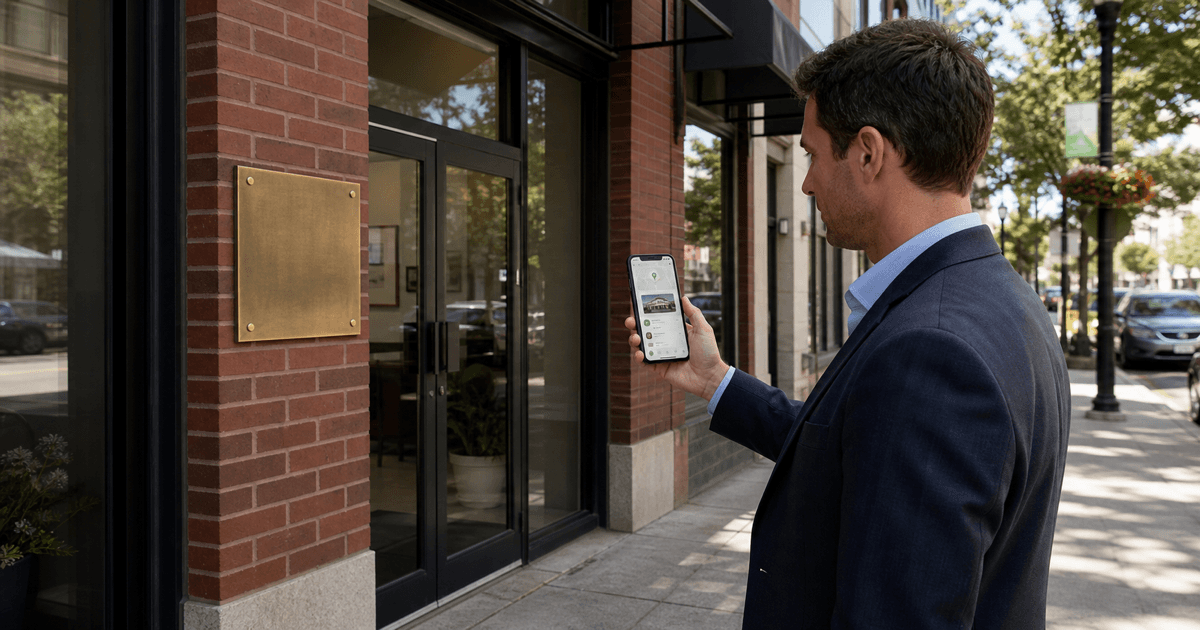
A Google Business Profile can help a person verify that a real estate professional is real, understand what the practice does, inspect public feedback, and choose a useful next step from Google Search or Maps. It can also become a liability when the name is stuffed with keywords, the address is ineligible, access is shared carelessly, reviews are solicited improperly, or nobody notices that the public information changed.
AI can help compare approved business facts, draft bounded profile content, organize photo and post ideas, prepare review-response options, and flag inconsistencies. It cannot determine eligibility, create a location, manufacture prominence, write a genuine client review, or guarantee a local ranking.
I do not treat a Google Business Profile as a billboard. I treat it as a public operating record. Accuracy comes first, usefulness comes next, and promotion has to fit inside both.
What Is a Google Business Profile for a Real Estate Agent?
A Google Business Profile is the business information and public content that may appear across Google Search and Maps for an eligible business. For a real estate professional, it can present identity, location or service-area information, category, contact details, website links, services, photos, updates, questions, reviews, and other features available to that profile.
The profile is not the agent's website, CRM, MLS record, brokerage roster, social feed, or advertising account. Those systems may connect to it, but each has a different job and different source of truth.
| Asset | Primary job | Main control |
|---|---|---|
| Google Business Profile | Present accurate public business information and selected actions in Search and Maps | Eligibility, ownership, policy, accuracy, public content, and monitoring |
| Agent website | Explain services, answer durable questions, and provide owned conversion paths | Content architecture, sources, accessibility, privacy, and maintenance |
| Brokerage profile | Represent the agent within the brokerage's system | Brokerage standards, identity, current role, and approved claims |
| MLS or IDX | Display authorized listing information | Data accuracy, attribution, status, media, and applicable display rules |
| CRM | Preserve request context, permission, ownership, and follow-up | Access, source fields, retention, routing, and human response |
The real estate website content checklist covers the owned-site system. This guide focuses only on the Business Profile and the workflow required to keep it accurate.
The AI search optimization guide for real estate agents places that maintained profile inside the broader website, local-content, crawler-access, citation, and conversion system.
Start With Eligibility and Ownership, Not Optimization
Before changing categories, writing posts, or requesting reviews, confirm that the profile is eligible and that the business is represented correctly. Google's guidelines for representing a business say that profile information should reflect the business accurately, the address or service area should be precise, the fewest categories needed to describe the core business should be used, and businesses generally should not create duplicate profiles.
Real estate agents can operate as individual practitioners, team members, brokerage representatives, service-area businesses, or combinations governed by specific platform and brokerage facts. Do not infer the correct setup from a competitor's profile. Review the current Google guidance, the actual office and client-facing arrangement, brokerage policy, naming conventions, and who is authorized to control the listing.
Do not use a virtual office, mailbox, borrowed address, temporary workspace, or brokerage location simply because it would place the profile in a preferred city. Do not hide uncertainty behind a polished optimization checklist. If eligibility or address display is unclear, stop and verify it before publication.
Secure the Profile Before You Add Content
Access is an operating-control issue. Keep the primary ownership with the appropriate business owner or authorized party, add named users through Google roles, and avoid sharing one password across the team. Google's owner and manager guidance explains that owners and managers can perform many daily tasks, while ownership controls remain distinct.
- record the primary owner and a recovery plan;
- use individual Google accounts rather than shared credentials;
- give each person the minimum appropriate role;
- remove former employees, vendors, and agencies promptly;
- store the profile ID, verification history, approved business facts, and support records securely;
- document who can change identity, location, category, phone, website, and hours;
- require review for material edits; and
- audit people and access on a recurring schedule.
I would rather delay a week of posts than leave profile ownership inside a former vendor's account. Content can be recreated. Control is harder to recover after it is lost.
Google Business Profile Checklist for Real Estate Agents
Features vary by business, region, category, and platform changes. Use this as an audit framework, then confirm what is available and allowed on the actual profile.
1. Business identity
- use the real-world business or practitioner name that is consistently represented;
- remove unapproved cities, specialties, slogans, and ranking terms from the name;
- match approved brokerage and license identification where required;
- confirm whether the profile represents an individual, team, office, or brokerage; and
- record the source and approver for every identity field.
2. Primary and secondary categories
- choose the narrowest accurate primary category for the core business;
- add secondary categories only for services genuinely offered;
- do not add categories merely because they contain useful keywords;
- review category availability and accuracy periodically; and
- document why each category applies.
3. Address, service area, and hours
- verify that the location and display choice follow current eligibility rules;
- use a service area that reflects actual operations rather than an aspirational footprint;
- keep normal and special hours accurate;
- do not imply walk-in access where it does not exist; and
- check the public map pin and entrance context where applicable.
4. Phone, website, and appointment path
- use a monitored business number with a defined response owner;
- send website visitors to the most relevant owned page, not automatically to a generic property search;
- test every link on mobile and desktop;
- use approved tracking parameters without breaking the destination; and
- make the website and form promise match what the profile says.
5. Business description
- explain who the practice is, what it does, and the actual market context;
- use verified experience and service facts;
- avoid unsupported superlatives, guarantees, urgency, keyword lists, and repetitive city names;
- separate brokerage-approved identity from personal positioning; and
- review the current field rules before publishing.
Google's representation guidance says the description should provide useful business information and should not become a place for irrelevant content, promotional pricing, or links. Write it for a person evaluating the practice, not as a hidden search field.
6. Services and attributes
- list only services the practice actually provides;
- use plain labels a client can understand;
- avoid legal, appraisal, lending, inspection, tax, or financial services the agent does not provide;
- review available attributes for accuracy and appropriate use; and
- remove stale services when the practice changes.
7. Photos and visual identity
- use current, authorized logo and professional identity images;
- show the actual office entrance or working context when eligible and useful;
- use accurate team photos and remove departed members;
- avoid misleading property imagery, excessive overlays, copyrighted media, and AI-created scenes presented as real places;
- check crop, clarity, orientation, and mobile display; and
- keep a source, permission, and review record for each image.
8. Posts and updates
- publish only when there is a useful, current reason;
- connect posts to maintained website answers, events, services, or approved property information;
- verify dates, addresses, status, prices, availability, links, and calls to action;
- avoid duplicate social captions pasted without context;
- follow fair-housing, advertising, brokerage, MLS, copyright, and platform rules; and
- retire or correct stale information.
9. Reviews and public responses
- request reviews only from people with a genuine experience;
- do not offer incentives for reviews, changes, or removal;
- do not write the review for the client or ask for required keywords;
- make the request easy to decline;
- respond without exposing private client, property, transaction, negotiation, or complaint details;
- move complex issues to an appropriate private channel; and
- flag content through the platform process when there is a legitimate policy issue.
Google's review guidance says reviews should reflect genuine experiences and prohibits incentives in exchange for posting, changing, or removing a review. It also advises businesses to keep replies professional, concise, conversational, and protective of privacy.
10. Questions, messages, and other interaction features
- monitor the interaction features available to the profile;
- answer from verified sources without giving property-specific advice in public;
- do not reveal a person's inquiry or relationship;
- route sensitive or individualized questions to an appropriate human channel;
- set realistic response ownership and availability; and
- remove obsolete automations when features or staffing change.
What AI Can Help With
- compare approved identity, contact, service, website, and hours data against a profile export or manual audit;
- flag inconsistent names, categories, service descriptions, links, dates, and claims for human review;
- turn a verified service brief into concise description and service-label options;
- build a photo inventory with source, permission, subject, date, and replacement status;
- adapt a verified website resource into a short profile update;
- prepare review-request drafts that are neutral and easy to decline;
- draft several privacy-conscious response options from the exact public review;
- group profile questions and website queries into content gaps without exposing personal details;
- summarize performance exports using defined metrics and limitations; and
- create a change log, owner list, and recurring audit checklist.
What AI Should Not Do
- decide profile eligibility, address display, practitioner setup, or policy compliance without current official guidance and human review;
- invent a business name, office, service area, category, credential, service, review, client, transaction, listing, award, demand, or result;
- create duplicate profiles, fake locations, keyword-stuffed names, or mass local listings;
- write reviews on behalf of clients or generate review language for coordinated posting;
- respond publicly with private, confidential, protected, client-specific, or transaction information;
- infer protected characteristics, neighborhood fit, motivation, financial capacity, or service eligibility;
- publish stale listing status, market data, event details, or promotional claims;
- upload account credentials, support records, client data, private reviews, or sensitive business information to an unapproved tool;
- automatically accept or reject edits without an authorized person verifying the underlying fact; or
- promise calls, leads, map-pack placement, ranking position, revenue, listings, or closings.
The real estate AI compliance checklist provides a broader review framework. Platform policy is only one layer; brokerage, fair-housing, advertising, privacy, copyright, licensing, MLS, and local requirements may also apply.
A 12-Step AI-Assisted Business Profile Workflow
1. Name the accountable owner
Assign one person to approve identity, access, profile changes, public replies, and escalations. Vendors may support work, but the business should understand and control the profile.
2. Capture the current public state
Record the profile as a visitor sees it in Search and Maps. Capture available fields, photos, reviews, links, actions, map location, questions, and any visible inaccuracies. Note the date and device context.
3. Build an approved fact sheet
Collect the real-world name, profile type, brokerage wording, category rationale, eligible address or service area, phone, website, hours, services, credentials, approved description facts, and source for each item. Mark uncertainty as [VERIFY].
4. Verify eligibility and ownership
Review current Google guidance and the actual business arrangement. Confirm primary ownership, managers, recovery access, and former users. Do not make material edits until control is understood.
5. Correct foundation fields carefully
Prioritize inaccurate identity, location, category, hours, phone, and website data. Change one controlled set at a time, record what changed, and monitor the public result and any platform notices.
6. Improve service clarity
Use AI to compare current description and services with the approved fact sheet. Draft options from supplied facts, then have the agent and required reviewer remove generic claims and confirm every service.
7. Audit visual evidence
Classify each photo by purpose, source, permission, accuracy, age, and replacement need. Add current, useful images gradually. Never use generated property or office images as evidence of a real place.
8. Create a bounded update rhythm
Choose a sustainable cadence based on real updates and maintained source material. The real estate AI content calendar can coordinate profile updates with website, email, and social work without requiring identical copy.
9. Build a genuine review process
Define when a review request is appropriate, who sends it, which approved link is used, what the neutral request says, and how declines or silence are handled. Use the AI review request workflow for real estate agents for the full process.
10. Create a public-response review standard
Set rules for privacy, tone, escalation, correction, suspected policy violations, and who can publish. AI may draft options, but a human should read the original review and approve the public response.
11. Connect website attribution
Use a descriptive destination that matches the profile action. Add approved campaign parameters where useful, preserve them through redirects, and test the page, form, confirmation, CRM source, notification, and owner. The broader AI lead-generation workflow covers that source-to-response path.
12. Review evidence monthly and controls quarterly
Review public accuracy, available performance data, interaction quality, website behavior, access, photos, services, links, unanswered items, rejected content, and policy changes. Document what the data can and cannot establish.
Copyable Google Business Profile Source Sheet
PROFILE CONTROL
Profile ID:
Profile type under review:
Primary owner:
Authorized managers:
Former access to remove:
Recovery and support record location:
Last access review:

APPROVED BUSINESS FACTS
Real-world business or practitioner name:
Brokerage and license wording:
Eligibility basis to verify:
Primary category and rationale:
Secondary categories and rationale:
Address display or service-area decision:
Normal and special hours:
Monitored phone and owner:
Website destination:
Appointment destination:

CONTENT SOURCES
Approved business description facts:
Services actually offered:
Credentials and source:
Photo inventory and permissions:
Current website resources:
Approved review-request link:
Voice samples for public replies:
Items marked [VERIFY]:

HANDOFF AND MEASUREMENT
Tracking parameters:
CRM source value:
Form or call owner:
Response standard:
Metrics available:
Known attribution limits:

REVIEW
Brokerage or compliance reviewer:
Privacy and fair-housing reviewer:
Profile owner approval:
Last public audit:
Next monthly review:
Next access review:
Prompt: Audit a Real Estate Google Business Profile
ROLE
You are helping a real estate professional audit a Google Business Profile. Act as an organizer and critical reviewer, not as Google support, a ranking expert, a broker, a lawyer, or a compliance authority.

GUARDRAILS
- Use only the profile export, public observations, approved fact sheet, current official guidance, and business context I provide.
- Do not decide eligibility or policy compliance. Flag those for current official guidance and human review.
- Do not invent a name, address, service area, category, service, credential, review, client, listing, transaction, result, metric, or citation.
- Do not recommend keyword stuffing, fake locations, duplicate profiles, review incentives, generated reviews, or ranking guarantees.
- Protect client, consumer, property, transaction, account, and support information.
- Mark missing or conflicting facts [VERIFY].

INPUTS
Approved source sheet:
Current public profile fields:
Current photos and source records:
Recent posts or updates:
Review-request process:
Sample public reviews and approved response boundaries:
Website destinations and tracking:
Available performance export with definitions:

REQUESTED OUTPUT
1. A table of each profile element, current value, approved source value, discrepancy, risk, owner, and recommended next review.
2. Separate factual corrections from optional content improvements.
3. Identify eligibility, ownership, policy, brokerage, fair-housing, privacy, advertising, licensing, copyright, MLS, and accessibility questions requiring human review.
4. Draft a concise description option using only approved facts.
5. Recommend a practical services list using only confirmed services.
6. Create a photo keep / replace / verify / remove inventory without making the final platform decision.
7. Suggest four useful update briefs from supplied current sources. Do not draft unsupported local claims.
8. Audit the review request and public-response process for neutrality, privacy, and ownership.
9. Audit website message match, tracking, form handoff, and response ownership.
10. End with a prioritized 30-day correction and maintenance list. Do not predict rankings, calls, or revenue.
Prompt: Draft a Privacy-Conscious Review Response
ROLE
Help me prepare response options for one public Google review of a real estate professional.

RULES
- Work only from the exact public review and the approved response guide.
- Do not confirm representation, transaction details, property details, negotiations, timing, identity, financial information, family information, complaint history, or any fact that is not safe and approved for public response.
- Do not argue, threaten, diagnose, pressure the reviewer to change the rating, offer an incentive, or insert marketing copy.
- Do not invent an apology, correction, action, or outcome.
- If the issue requires private review, provide a neutral invitation to an approved contact channel.
- Flag legal, fair-housing, privacy, brokerage, safety, or escalation concerns rather than resolving them.

PUBLIC REVIEW
Paste exact review here.

APPROVED RESPONSE GUIDE
Business name and sign-off:
Tone samples:
Public facts permitted:
Approved private contact path:
Escalation triggers:

REQUESTED OUTPUT
1. Risk and privacy notes for the human reviewer.
2. Three concise response options: acknowledgment only, acknowledgment plus approved general context, and private-resolution invitation.
3. A list of statements that should not be posted publicly.
4. A recommendation to respond, escalate, or pause for review, with uncertainty stated.

Do not publish. End with HUMAN APPROVAL REQUIRED.A Practical Four-Week Implementation Plan
Week 1: Control and facts
- confirm eligibility questions and current official guidance;
- audit owners, managers, and recovery;
- capture the public profile state;
- complete the approved source sheet; and
- prioritize material factual corrections.
Week 2: Services, website, and visuals
- review categories, description, services, attributes, hours, phone, and links;
- test the destination and handoff;
- inventory photos and permissions; and
- replace only inaccurate or clearly unhelpful material.
Week 3: Reviews and useful updates
- document a neutral, genuine-experience review process;
- approve a privacy-conscious response standard;
- answer or escalate open public interactions; and
- publish one source-backed update if there is a useful reason.
Week 4: Measurement and maintenance
- record baseline performance using available definitions;
- confirm website tracking and CRM source fields;
- assign monthly content and quarterly access reviews;
- document unresolved platform or policy questions; and
- make the next change from observed evidence rather than a checklist score.
How to Measure the Profile Without Inventing Attribution
| Signal | Useful question | Limit |
|---|---|---|
| Profile views or impressions | Is the profile being surfaced within the platform's reported context? | Visibility does not prove intent, accuracy, or business value |
| Search terms when available | Do observed queries match the actual practice? | Reporting can be sampled, grouped, delayed, or changed |
| Website actions | Are people continuing to a relevant owned page? | Attribution can be lost across devices, redirects, privacy controls, and later visits |
| Calls or messages | Are profile actions creating usable requests? | An action is not automatically a qualified conversation |
| Review volume and response coverage | Is the genuine feedback process operating consistently? | Ratings do not measure the whole service or guarantee rank |
| Corrections and rejected changes | Where are source, policy, or workflow problems occurring? | A rejection is not enough to diagnose the cause without review |
| CRM source context | Did the responding agent preserve what the person requested? | Last-known source should not receive credit for the entire relationship |
| Maintenance defects | Are hours, links, photos, access, services, and public answers current? | A complete checklist does not prove usefulness |
My measurement standard is modest: use profile data to find the next operational question, not to write a victory story. If calls increased, investigate source quality, response, seasonality, campaigns, referrals, and website behavior before claiming the profile caused the change.
Common Google Business Profile Mistakes in Real Estate
Adding keywords to the business name
The name should reflect the real-world business identity. Do not append cities, “best Realtor,” “top listing agent,” specialties, or slogans merely to influence search.
Using an address because it is strategically convenient
Eligibility and address display depend on the actual business arrangement and current rules. A desirable map location is not evidence that the address belongs on the profile.
Giving an agency permanent primary control
The business should understand ownership and retain durable control. Give vendors appropriate access and remove it when the relationship ends.
Requesting only positive or keyword-rich reviews
Ask neutrally after genuine experiences, without incentives or required language. Do not screen people based on expected sentiment and route only favorable clients to Google.
Using public replies to retry the transaction
A review response is not the place to disclose the file, prove the reviewer wrong, quote private communication, or market to future readers. Protect privacy and move complex resolution to the approved channel.
Posting stale listing or market content
Status, price, dates, inventory, rates, rules, and local data change. Use source dates, approvals, and retirement rules for time-sensitive updates.
Treating weekly posts as a ranking guarantee
Publish useful updates because they help a person understand the business or continue to a maintained resource. Do not turn cadence into a promise about placement.
Ignoring the responding agent's handoff
A working profile can still produce a poor experience when the phone is unmonitored, the link is broken, the form loses source context, or no one owns the response.
Where This Fits in the Local SEO System
A Business Profile is one local presence, not the entire local strategy. It should agree with the real-world identity and connect to a useful owned website. The website should contain source-backed service and local content. Other legitimate references should use consistent facts. Reviews should come from genuine experiences. The responding team should preserve context and serve the request.
The local SEO content workflow for real estate agents explains how to create durable local answers without thin city pages or steering language. The AI neighborhood guide workflow provides additional controls for objective location content.
The Best First Step
Do not begin with a post. Open the public profile as a visitor and compare the name, profile type, location or service area, category, phone, website, hours, and services with an approved source sheet. Then inspect ownership and manager access.
Correct one material fact, test one path into the website or phone workflow, and record the result. A controlled profile with fewer updates is better than an active profile nobody can verify.
Final Takeaway
A useful Google Business Profile for a real estate agent is accurate, legitimately controlled, easy to understand, connected to a dependable response path, and maintained from approved sources.
AI can reduce the work of comparison, drafting, organizing, and review. The agent and brokerage still own eligibility questions, identity, access, facts, photos, services, review practices, public responses, fair-housing and privacy review, website handoff, and every claim.
Start with accuracy. Add useful content carefully. Measure what happened without promising what the platform will do next.
Frequently Asked Questions
Should every real estate agent have a Google Business Profile?
Not automatically. An agent should first confirm current eligibility, the actual business and office arrangement, brokerage policy, ownership, and how the profile will be maintained. Do not create a profile simply because competitors have one.
Can a real estate agent use a brokerage address?
The correct setup depends on current Google guidance and the real business arrangement, including whether the professional is eligible at that location and how the brokerage and practitioner are represented. Verify the current rules rather than copying another profile.
What category should a real estate agent choose?
Choose the fewest accurate categories needed to describe the core business, with the most appropriate available category as primary. Do not add categories solely for keywords or services the practice does not provide.
Can AI write Google Business Profile posts for agents?
AI can adapt a verified source into a concise draft and flag missing dates, claims, links, or calls to action. A human must verify the source, current details, fair-housing and advertising concerns, platform rules, voice, and destination before publishing.
Can real estate agents offer an incentive for Google reviews?
Google's current guidance prohibits incentives in exchange for posting, changing, or removing reviews. Requests should be neutral, tied to genuine experiences, easy to decline, and reviewed for other applicable rules.
How often should a real estate agent update a Google Business Profile?
Review critical facts whenever the business changes and on a recurring schedule. Publish posts or photos when there is useful, current, approved material. A fixed posting frequency does not guarantee visibility or ranking.